Enhancing Browsing Speed: How to Enable Ad Bl
As internet usage grows, many users seek ways to enhanc...








The world of self-hosted AI is moving at a breakneck pace. One day you are using a tool with a catchy name, and the next, it has "molted" into something entirely new. This is exactly what happened with the viral AI assistant known as ClawBot (or Clawdbot). Recently, this powerful personal assistant underwent a major rebranding and is now officially known as OpenClaw.
If you have been following the AI space in early 2026, you know that this isn't just a simple name change for marketing purposes—it is a significant milestone in the open-source community. In this article, we’ll dive into why the change happened, what OpenClaw brings to the table, and how you can deploy it instantly using SurferCloud, which has already launched a dedicated OpenClaw (ClawBot) mirror image.
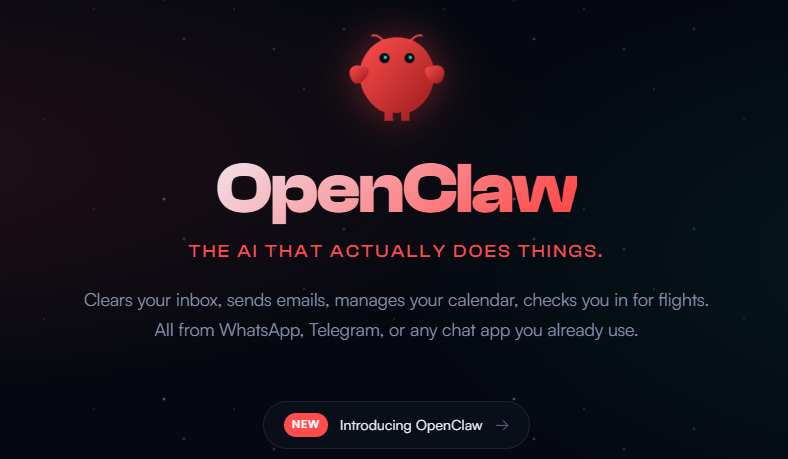
The transition from ClawBot to OpenClaw was sparked by a classic "David vs. Goliath" trademark situation. The project, originally created by developer Peter Steinberger, gained massive popularity under the name "Clawdbot." It was designed as a "Claude with hands"—a self-hosted assistant that allows users to control their computers and automate tasks via everyday apps like WhatsApp, Telegram, and Discord.
As the project skyrocketed to over 60,000 stars on GitHub, it caught the attention of Anthropic, the creators of the Claude AI model. Anthropic's mascot for their "Claude Code" tool is also named "Clawd," and they naturally moved to protect their trademark.
Rather than engaging in a protracted legal battle, Steinberger chose to lean into the lobster-themed identity of the project. The bot "molted" its old shell. While it was briefly renamed "Moltbot," the community and developers eventually coalesced around the name OpenClaw. This new name perfectly encapsulates the project's spirit:
OpenClaw is not just another chatbot; it is a Personal AI Agent. While tools like ChatGPT or the official Claude interface live in a browser, OpenClaw lives on your hardware and connects to your life.
Despite its power, OpenClaw can be a bit tricky to set up for the average user. It requires a "Gateway" that stays online 24/7 to listen for your messages on Telegram or WhatsApp. Running this on your home laptop isn't ideal because:
This is where SurferCloud enters the picture.
To celebrate the evolution of OpenClaw, SurferCloud has officially released a one-click OpenClaw (ClawBot) mirror image. This means you no longer have to spend hours wrestling with dependencies, Docker configurations, or environment variables.
SurferCloud’s new image comes pre-configured with the OpenClaw environment. When you buy a VPS, you simply select the OpenClaw/ClawBot image, and your gateway is ready to be linked to your messaging apps in seconds.
| Feature | SurferCloud Advantage |
| Performance | High-performance UHost instances comparable to AWS EC2 but at half the cost. |
| Global Reach | 17+ data centers across 4 continents (including Hong Kong, Singapore, Tokyo, and LA). |
| Pricing | Plans like the ULightHost start as low as $2.9/month for new users. |
| Privacy & Security | Supports USDT (crypto) payments and requires No KYC, ensuring your AI remains truly private. |
| Bandwidth | Massive traffic packages (up to 4TB) ensure your AI agent never hits a bottleneck. |
If you're ready to have your own lobster-powered assistant, here is the fastest way to do it in 2026:
The transition from ClawBot to OpenClaw marks the beginning of a more mature, resilient era for open-source AI agents. We are moving away from simple "chatting" and toward "doing." By hosting OpenClaw on a reliable platform like SurferCloud, you bridge the gap between powerful automation and 24/7 reliability.
Whether you want an AI that can organize your inbox while you sleep or a coding partner that lives in your Discord server, the "Lobster Way" is the path forward.
Ready to start your AI journey?





