Why Dedicated Server Hosting Is the Smart Cho
When your website begins to attract significant traffic...








The $2.50-to-$4 number that dominates every search result for "how much does a VPS cost per month" is real, current, and almost useless as a budget. It is a floor, not a price. The actual monthly cost of a small VPS in November 2026 is routinely one and a half to three times the sticker, and the gap is not hidden — it is printed on the same page, just below the fold, in the renewal line and the traffic-overage table.
That is because a VPS does not have one price. It has three: the entry price providers advertise, the renewal price you will actually pay from term two onward, and the effective price — the bill after bandwidth overages, IPv4 add-ons, and backup fees. Mainstream marketing overwhelmingly quotes the first number. Invoices are generated from the second and third. Any budgeting exercise that confuses the three will undershoot, and the surprise arrives at the worst possible moment: month two, or the first traffic spike.
This article prices the real market as of November 10, 2026, using live figures from four mainstream providers, then breaks the sticker into its components: renewal structures, the four costs the headline price omits, and the traffic models that decide whether a $5 plan costs $5 or $15. It closes with a five-minute worksheet that converts any advertised price into a twelve-month number you can actually plan around.
As of November 2026, a usable Linux VPS with 1 vCPU and 1–2 GB of RAM costs between $3 and $10 per month from mainstream providers, with entry prices starting at $2.50 for IPv6-only machines. A realistic all-in budget for a small production workload is $5–12 per month once renewal pricing and bandwidth are included. Anything below $3 is either IPv6-only, RAM-starved, or a first-term promotion.
Three numbers define the bottom of the market right now. Vultr's IPv6-only entry plan lists at $2.50 per month. DigitalOcean's cheapest Basic Droplet lists at $4.00 with 512 MB of RAM. A fully usable 1 GB RAM tier clusters around $5–6 across Vultr and DigitalOcean. These are list prices, verified on official pricing pages on November 10, 2026 — not promotional teasers, and they renew at the same figure. The promotional floor sits lower still: entry deals at $2.90 per month exist, but they are first-term prices with a different renewal number attached.
Across the four providers compared below, essentially the same 1-vCPU-class machine lists anywhere from $2.50 to €5.99 per month — and every one of those numbers is technically correct, which is exactly the problem. The differences are not in the CPU count; they are in what the plan assumes about your memory needs, your traffic volume, and your willingness to re-check the bill at renewal.
| Provider and plan | Monthly price | vCPU / RAM | Storage | Included traffic |
|---|---|---|---|---|
| Vultr — Regular Performance, 1 GB | $5.00 | 1 vCPU / 1 GB | 25 GB SSD | 1 TB |
| Vultr — IPv6-only entry | $2.50 | 1 vCPU / 0.5 GB | 10 GB SSD | 0.5 TB |
| DigitalOcean — Basic Regular, 1 GB | $6.00 | 1 vCPU / 1 GB | 25 GB SSD | 1 TB |
| DigitalOcean — Basic Regular, 512 MB | $4.00 | 1 vCPU / 512 MB | 10 GB SSD | 500 GB |
| Hetzner — Cost-Optimized CX23 | €5.99 (listed; see availability note below) | 2 vCPU / 4 GB | 40 GB NVMe | 20 TB |
| ULightHost — Essential, new-user deal | $2.90 entry, renews at $7.50 | 1 vCPU / 2 GB | 40 GB NVMe | 1 TB outbound |
| ULightHost — Essential, locked price | $6.75, renewal locked | 1 vCPU / 2 GB | 40 GB NVMe | 1 TB outbound |
Every figure in that table was captured from the providers' official pricing pages on November 10, 2026. Read it twice and two things stand out. First, Hetzner's CX line offers the best raw spec-per-euro in the table — 2 vCPU and 4 GB for €5.99 — but as of that date the plan was listed while being unavailable to order, a situation covered in its own section below. Second, the ULightHost rows are the only ones where the entry price and the renewal price are visibly different numbers, which makes them the most honest row in the table and the most dangerous one to read carelessly.
The single largest gap between "what a VPS costs" as advertised and as paid is the renewal structure. There are two families of pricing in this market, and they produce very different twelve-month totals from identical-looking stickers.
List-price providers quote one number that does not change: Vultr's $5.00 plan renews at $5.00, DigitalOcean's $6.00 plan renews at $6.00. Budgeting is trivial. The trade-off is that the sticker is the market rate, not a discount — you are never getting a deal, only a price.
Promotional providers quote a first-term price and a separate renewal. The ULightHost ladder illustrates every variant of this structure. The new-user Essential plan starts at $2.90 per month and renews at $7.50 — a 159 percent jump, but still below many list prices for the same 2 GB configuration. The all-users track inverts this: $6.75 per month with the renewal locked at $6.75, a 10 percent permanent discount over the regular $7.50. And the Lite plan shows the extreme case: $9.90 for the first year, renewing at $48 per year — roughly a fivefold increase designed to be forgotten about, because a $9.90 annual charge never triggers a second look until it becomes a $48 one.
None of this is a trick; it is a legitimate price-discrimination strategy that lets price-sensitive newcomers in at $2.90 while charging predictable long-term tenants $6.75. The failure mode is purely on the buyer's side: comparing Provider A's first-term price against Provider B's list price as if they were the same kind of number. They are not. One is an introduction. The other is a marriage.
The monthly price on the plan card covers CPU, RAM, disk, and — usually — one IPv4 address and some amount of traffic. Four cost categories routinely live outside that number, and together they explain most "why is my bill higher than the plan price" support tickets.
1. The IPv4 address itself. The cheapest sticker prices in the market are cheap partly because they omit IPv4: Vultr's $2.50 plan is IPv6-only, and the IPv6-inclusive-with-IPv4 version of the same specs costs $3.50. When an address is bundled, it is not free — it is financed into the plan price. The budget-conscious workaround is sharing: on a NAT VPS, many machines share one public IPv4, which is the standard trick for fleets of small workers that do not need inbound connections. Budget the address separately if your workload needs inbound reachability.
2. Bandwidth overage. Included traffic is generous by historical standards but finite, and the meter usually runs only on outbound bytes. Exceed it and the per-GB rates are where providers recover margin — covered in detail in the next section.
3. Backups and snapshots. On DigitalOcean, automated backups cost 20 percent of the Droplet price for weekly backups or 30 percent for daily, and manual snapshots cost $0.06 per GB per month as of November 2026. On a $6 plan that is $1.20–1.80 per month — a 20–30 percent surcharge for not losing your data. Some providers bundle backups; most budget plans do not. If your disaster-recovery plan is a manual snapshot habit, price the habit.
4. The operating system license. Every price in this article assumes Linux. If you need Windows, check whether the license is bundled into the plan before comparing prices — the ULightHost plans above, for instance, list both Linux and Windows images on every tier at the same sticker price, while on many other platforms a Windows license is a meaningful monthly line item added on top of an identical-spec Linux plan.
Two plans with identical $5 stickers can differ by a factor of ten in real cost, purely on the traffic model. The included volume matters, but the overage rate matters more, because overage is where a suddenly popular blog or a runaway cron job turns into an invoice line.
The table below shows how four mainstream providers structure traffic as of November 2026. The conclusion to draw from it: high-included-traffic plans (Hetzner's 20 TB) behave like a buffer you will never exhaust, while low-included plans behave like a meter, and meters run in both directions.
| Provider / plan class | Included outbound traffic | Overage handling | What it means in practice |
|---|---|---|---|
| Hetzner — EU cloud locations | At least 20 TB included | About €1.00 per additional TB, billed hourly at EU-Central | Effectively unmetered for any small site; overage risk near zero |
| DigitalOcean — Basic Droplets | 500 GB – 4 TB by tier | Billed per GB beyond quota | Metered; a viral month produces a proportional bill |
| Vultr — Regular Performance | 0.5 – 3 TB by tier | Bundled with plan; overage billed separately | Metered, generous mid-tiers; check the tier, not the brand |
| ULightHost — all tiers | 1 – 4 TB outbound; inbound unlimited | Quota per plan; inbound never counted | Predictable for download-heavy inbound (images, backups pulled to the server) |
A useful sanity check: 1 TB of outbound traffic per month sustains roughly 400,000–500,000 page views for a text-heavy page of around 2 MB, and far fewer for image-heavy pages. If your traffic estimate fits inside the included quota with a 5x margin, the overage rate is irrelevant and you should shop purely on sticker-plus-renewal. If your margin is thin, the traffic column becomes the most important column in any comparison — which is why region matters too, since the same traffic budget stretches differently depending on where your users are; the economics of choosing a closer region are covered in depth in guides to regional VPS choices such as Vietnam and Southeast Asia.
Price tiers in this market map cleanly onto workload classes, and knowing the boundaries prevents both oversizing and the quiet misery of undersizing. The table below is the November 2026 reality of each tier, aggregated from the provider data above.
| Monthly tier | Typical specs at this price | Comfortably runs | Breaks under |
|---|---|---|---|
| Under $4 | 1 vCPU, 0.5–1 GB RAM, 10–25 GB disk | Static sites, bots, cron jobs, dev sandboxes, small APIs with caching | Un-tuned databases, more than a handful of concurrent users, Node/Java services at defaults |
| $5–8 | 1–2 vCPU, 1–2 GB RAM, 25–40 GB NVMe | A WordPress or blog stack with a database, small production APIs, personal projects with real users | Traffic spikes combined with unindexed queries; multiple heavyweight services on one box |
| $10–15 | 2 vCPU, 2–4 GB RAM, 55–80 GB | Small e-commerce, several containerized services, staging plus production on separate machines | Still not a database server under sustained write load — this tier buys headroom, not horsepower |
The RAM number is the honest dividing line. At 512 MB you are buying a machine that boots and idles; at 1 GB a Linux stack with nginx and a small database runs but watches its margins; at 2 GB it stops caring. Disk quantity is nearly irrelevant at this scale — 10 GB versus 40 GB changes nothing for a text-heavy site — but disk type is not: the NVMe storage on the 2 GB-class plans above is measurably faster than the regular SSD on some cheaper tiers, and database-heavy workloads feel it daily.
There is a final twist in the November 2026 market that no static price comparison will show you: as of November 10, 2026, Hetzner's entire Cost-Optimized line — including that €5.99 CX23 with 4 GB of RAM — was listed on the official pricing page marked as currently unavailable, with order buttons disabled. The €3.79-class CX22 of a year ago has been deprecated outright. The sticker exists; the product does not, at least this week.
This is not a Hetzner-specific flaw — it is the budget tier's structural reality. Ultra-cheap plans sell out because they are loss-leaders, and capacity-constrained providers disable ordering rather than oversell. The practical lesson for budgeting: a price you cannot order today is not a price, it is a rumor. Before building a twelve-month plan around any figure, click through to the order page and confirm the plan can actually be provisioned in your target region. Do this on the day you plan to buy, not the day you plan to compare — budget-tier stock turns over weekly.
Convert any sticker price into a real monthly number in five steps. This is the entire methodology — it takes longer to describe than to do.
Sum steps 2 through 5 and divide by 12. That number — not the sticker — is what the VPS costs per month. On a $2.90 entry plan that renews at $7.50 with backups and a thin traffic margin, the worksheet typically lands between $8 and $10: still a good price for 2 GB of NVMe-backed RAM, but not $2.90, and budgets that say $2.90 will be rewritten in month thirteen.
Take the most common workload in this price bracket: a personal or small-business blog running nginx, PHP, and MySQL, with 2 GB RAM headroom, 40 GB of disk, and well under 500 GB of monthly outbound traffic. Free SSL from Let's Encrypt keeps the software stack at zero cost — certificate renewal is a solved problem once configured — so the entire bill is hosting. If the same blog serves a regional audience, region choice shifts both latency and the traffic math: the economics of picking a Vietnam VPS or an Asian location illustrate how the same specs price differently by geography.
Run the worksheet against three tracks, using the November 2026 prices verified above:
| Track | Month 1–12 cost | Year 2 onward | Notes |
|---|---|---|---|
| List-price plan (Vultr 1 GB / DO 1 GB) | $60–72 | $60–72 | Same number forever; simplest to budget |
| Promo entry (ULightHost Essential new-user) | $2.90 entry, then renewal-based | $90 at $7.50/mo | Cheapest entry in the table; renewal is the real number |
| Promo locked (ULightHost Essential locked) | $6.75/mo from day one | $81/yr, locked | 10 percent under regular renewal, indefinitely |
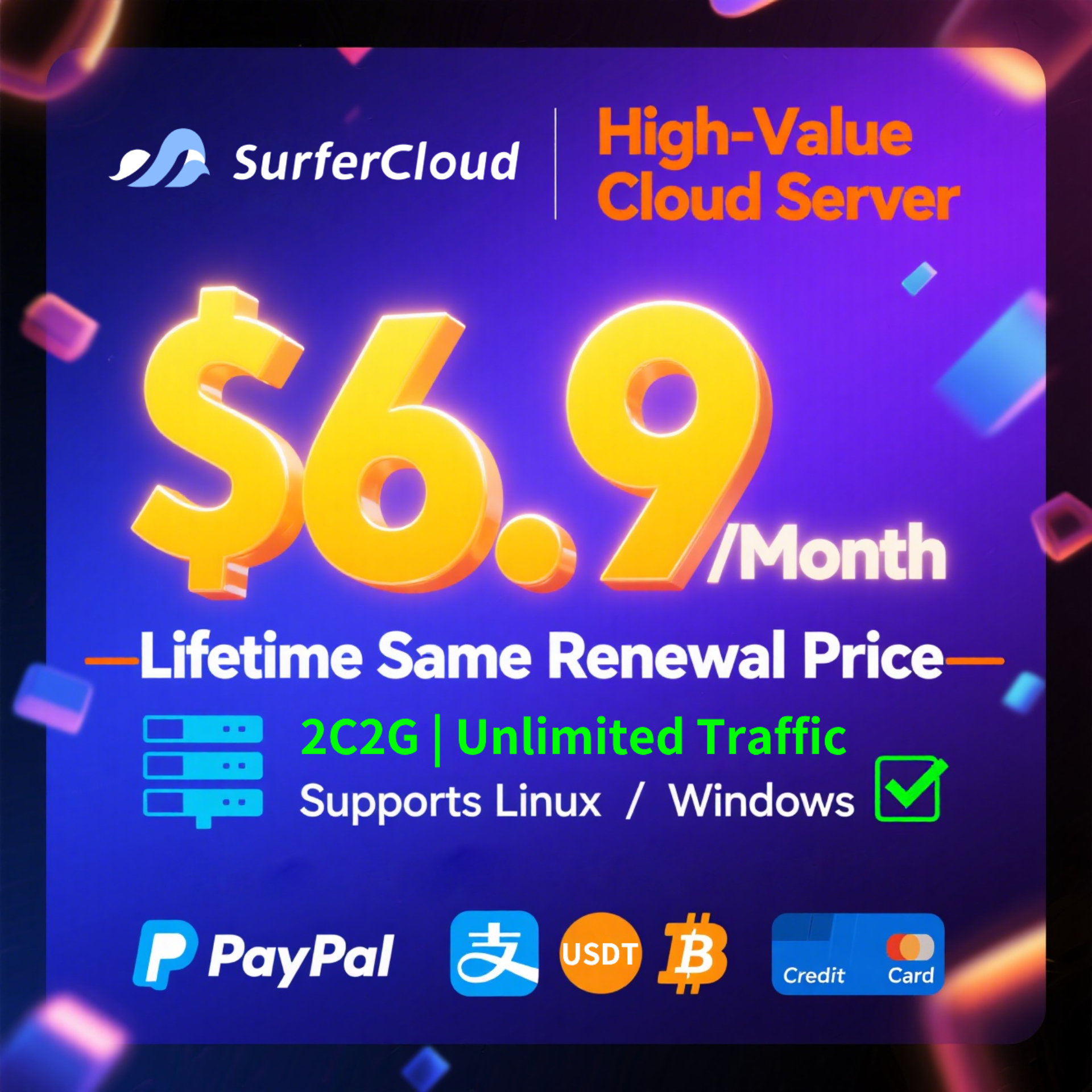
All three tracks are rational. The first buys predictability, the second buys the cheapest possible year one — sensible for a project that might not survive its first year — and the third buys the lowest long-run price for anyone confident the project will live past year two. What none of them buys is a $2.90 VPS forever, because that plan does not exist anywhere in the market. For the full current ladder behind these numbers, including the 2 GB, 4 GB, and 8 GB tiers with both the new-user and locked-price tracks listed side by side, see the ULightHost lightweight cloud server pricing page on SurferCloud; the same 2 GB-class machines work well as a cost-effective NAT VPS option when you need many small workers instead of one box.
Everything above optimizes for "cheapest machine that fits." One caveat closes the loop: some workloads should not be priced this way at all. Anything that must not go down — anything holding customer data, processing payments, or serving production traffic with an SLA — justifies paying for managed backups, better networking, and a provider with a migration story, per the failover economics discussed for small teams choosing between VPS and cloud contracts. The budget worksheet still applies; the inputs just include the cost of being wrong.
And for the wide middle ground — blogs, bots, side projects, staging environments, small production APIs — the market as of November 2026 is genuinely excellent: $3–10 per month buys a machine that would have cost $40 in 2015. The only mistake available is budgeting against the floor instead of the price.
Between $2.50 and $10 for a typical small Linux server, as of November 2026. The usable middle of the market — 1 vCPU, 1–2 GB RAM, NVMe disk — clusters at $5–8 on list-price providers and $2.90–6.75 on promotional tracks. Budget $5–12 all-in once renewals, backups, and bandwidth are included.
Almost always one of four add-ons: bandwidth overage beyond the included quota, a backup subscription (typically 20–30 percent of plan cost), an IPv4 address that was excluded from the cheapest tier, or renewal at the regular price after a promotional first term. Check those four lines against your plan page and the bill will reconcile.
For a static site or a lightly cached small blog, yes — a 1 vCPU / 1 GB machine handles tens of thousands of monthly visits without strain. For WordPress with unoptimized plugins or any database under real write load, 512 MB–1 GB will swap and stall. Start at the 1–2 GB tier for anything with a database.
Most include a monthly outbound quota (500 GB to 20 TB depending on provider) and bill only the excess. Inbound traffic is free nearly everywhere. Hetzner's EU locations effectively remove the concern with 20 TB included; metered providers bill overage per GB, so the rate matters if your margin above the quota is thin.
Two models exist: metered overage (you are billed per GB, typically $0.01–0.02) or throttling on some budget plans. Neither disconnects you. The billing risk is a viral traffic month multiplying quietly; the mitigation is a monitoring alarm on outbound bytes at 80 percent of quota.
Often yes, but read the renewal first. Annual promos like the $9.90 first year renewing at $48 annualize to $4 per month — still cheap, but nearly five times the teaser rate. Yearly prepay is worth it when the renewal is also reasonable or locked; it is a trap when the discount exists only to defer the real price past your attention horizon.
Sub-$5 plans are capacity-constrained loss leaders; providers disable ordering rather than oversell their budget hardware. Hetzner's Cost-Optimized line was listed but unorderable as of November 10, 2026. Treat any too-good price as provisional until the order page confirms stock in your region.
$8–15 per month all-in covers the common case: a 2 GB NVMe machine with backups and comfortable traffic margin, priced at renewal rates rather than entry rates. Add a one-time setup cost in hours, not dollars, and you have an honest number.