How to Transfer Files to and from Windows VPS
Efficient file transfer is a crucial skill for managing...








Buyers decode the words "lightweight cloud server" as "cloud server, smaller" and then make one of two wrong moves: they dismiss the category as a toy too feeble for real work, or they buy it expecting EC2-class everything and rage at the console when there is no VPC editor. Both mistakes come from the same place. A lightweight cloud server is not a cloud server with parts subtracted — it is the same virtualization running under a different contract: fixed bundles instead of component shopping, a monthly traffic allowance instead of raw metered bandwidth, one integrated console instead of twelve line-item services.
The reframe that makes the category legible: "lightweight" describes the operating model, not the hardware. Under the hood, a lightweight instance is a normal virtual machine on a normal hypervisor with normal NVMe storage — AWS Lightsail, for example, runs on the same EC2 infrastructure as every other AWS instance. What has been engineered down is not performance but the decision count: the number of choices you must make correctly before the machine boots, and the number of services you must understand to keep it running. You trade flexibility you were never going to use for simplicity you will use every single day.
This article defines the category precisely, then tells you where the definition bites: the five traits that actually constitute a lightweight cloud server, the capabilities the contract removes and why their absence is the point, how the traffic allowance works as the real product boundary, a three-way comparison against classic VPS and full cloud servers, the renewal-price arithmetic that decides your true cost, a workload audit of what fits and what does not, a November 2026 market snapshot of entry-tier prices, and a five-question fit test you can finish in ten minutes.
A lightweight cloud server is a pre-packaged virtual machine that bundles compute, memory, NVMe storage, a fixed monthly outbound traffic allowance, and a dedicated public IP into one flat-priced SKU managed through a single simplified console — sold by providers like AWS (Lightsail), Tencent Cloud (Lighthouse), and Alibaba Cloud (SWAS) as their beginner-facing product line.
The fine print is where the value and the limits both live. The bundle is fixed: you pick a tier, and the vCPU count, RAM, disk size, bandwidth cap, and traffic allowance come as one unit — no mixing 8 GB of RAM with a small disk, no custom machine types. Networking is pre-built: the instance boots inside a default network with a dedicated public IPv4 already attached and one integrated firewall page, no subnet design required. Deployment is application-first: most providers ship one-click images for WordPress, Docker, LAMP stacks, and similar stacks, targeting the person who wants a running site tonight, not an infrastructure lab.
That target user is the honest framing. A November 2026 comparison of the category against full cloud servers puts it in one line: the lightweight product is an out-of-the-box entry-level appliance, while the full cloud server is a highly customizable enterprise building block. Neither is "better" — they are contracts written for different buyers, and every trait below is a clause in one of those two contracts.
The most persistent myth about lightweight tiers is that they are performance-gutted — oversold, throttled, "not real hardware." The verifiable reality is the opposite: lightweight instances run on the same hypervisors, the same physical hosts, and the same storage classes as their providers' flagship lines, and the spec differences that do exist are in the contract, not the silicon.
Three pieces of evidence anchor this. First, AWS's own documentation places Lightsail instances on EC2 infrastructure — the lightweight product is a packaging of EC2, not a separate inferior fleet. Second, provider spec sheets openly compete on the same hardware metrics as full clouds: one current lightweight line advertises 10 million packets per second of network performance and 1.2 million IOPS of storage read/write throughput, explicitly benchmarked as comparable to AWS. Third, the 2026 horizontal reviews of lightweight products across major providers test CPU and disk I/O with the same tooling used for full cloud servers and find no systematic "neighbor effect" — the throttling that lightweight critics predict does not appear in measurement.
What is different, concretely: the instance family is fixed (you get the provider's chosen CPU generation, not a menu), the bandwidth is capped at a stated figure such as 30 Mbps, and the maximum bundle size tops out — a lightweight line that ends at 4 vCPU and 8 GB of RAM simply has no 64-vCPU tier to grow into. Those are ceiling and packaging constraints, not per-core sabotage. When a lightweight box performs badly, the cause is almost always workload misfit or a noisy-tenant lottery — which you can verify yourself rather than assume, using the same process as our guide to checking CPU usage and steal time on a Linux server: measure your own numbers before blaming the category.
Marketing pages blur the category, but five traits consistently separate every true lightweight cloud server from both classic VPS and full cloud servers — fixed bundles, a traffic allowance, pre-built single-IP networking, application images, and one flat price with a single console.
A product missing two or more of these traits is repackaging something else — usually a classic VPS wearing the word "lightweight" for search traffic. The traits are the definition; the name on the box is not.
The honest way to evaluate a lightweight cloud server is as a list of deliberate subtractions: the contract removes VPCs and subnet design, per-component APIs, auto-scaling groups, custom machine types, and multi-region peering — and each removal is a feature for the target buyer, not a defect.
Read the subtraction table as a whole before judging any row:
| Removed capability | Why the target buyer does not miss it | When you will hit the wall |
|---|---|---|
| VPC, subnets, route tables, peering | One server needs one network; the default is correct | The day you add a second server that must talk to the first privately |
| Per-component APIs (finely scoped IAM, auto-scaling, launch templates) | You manage one machine through one console | The day you want infrastructure-as-code or fleet automation |
| Custom instance types and sizes beyond the bundle ceiling | Entry tiers cover blogs, demos, small apps, bots | Sustained CPU saturation with no larger bundle to step into |
| Granular service catalog (managed databases, queues, private links) | The bundle targets self-contained single-server workloads | The day your architecture needs a managed database tier |
| Bandwidth flexibility (burstable, committed, per-GB tuning) | A 30 Mbps cap with a 1 TB allowance covers normal web traffic | Video, large-file serving, or backup-heavy workloads |
The pattern across every row is identical: the removal saves you nothing once your workload outgrows the contract, and saves you a discipline's worth of complexity every day until then. That is the entire bargain. If none of the wall-hitting scenarios apply to you, the removed capabilities were never assets — they were liability, charged in attention rather than dollars.
Most buyers comparison-shop vCPU and RAM; the number that actually terminates lightweight deployments is the monthly outbound traffic allowance — because exceeding it means overage fees or throttling, while the inbound direction is typically unmetered and the bandwidth cap silently limits your peak throughput.
The arithmetic that keeps you out of trouble is short. A 1 TB outbound allowance (the entry-tier standard as of November 2026) equals roughly 1,000 GB; at a 2 MB average fully-loaded page weight, that is about 500,000 page views per month. Concretely: a blog doing 10,000 page views a day consumes around 600 GB monthly and fits with room to spare; a website serving even modest video does not fit at any tier — a single 1 GB video downloaded 40 times a day burns the entire 1.2 TB monthly quota of a mid-tier bundle.
Three boundary rules to check before you buy any tier:
Comparing traffic models across product families is its own discipline: the speed-capped-but-unmetered port on many classic VPS lines is a different economic animal from the quota model here, and it is one of the three contracts compared in the next section. The IP story has similar texture — a dedicated IPv4 on every bundle is standard in the lightweight category, while the extreme-budget end of hosting shares addresses through NAT, a trade-off covered in depth in our guide to NAT VPS and shared-IP hosting economics.
Lightweight cloud servers, classic VPS, and full cloud servers are best understood as three contracts over similar virtual machines: the lightweight product trades flexibility for an integrated appliance experience, the classic VPS offers a fixed-spec machine at a flat price with raw networking, and the full cloud sells composable infrastructure billed per component.
The three-way table compresses the decision:
| Dimension | Classic VPS | Lightweight cloud server | Full cloud server |
|---|---|---|---|
| Pricing model | Flat monthly, bandwidth included at a port speed | Flat monthly, traffic allowance included | Per-second/per-item; every component billed |
| Networking | One IP, raw port | One dedicated IP, integrated firewall, no VPC | VPC, subnets, security groups, peering, load balancers |
| Instance flexibility | Fixed plans | Fixed bundles, low ceiling | Custom families, GPU families, bare metal |
| Scaling | Manual resize/redeploy | Step up bundles, then graduate | Auto-scaling groups, managed services |
| Control plane | Panel + ticket | Single simplified console, API | Full API, IaC, IAM granularity |
| Host-failure story | Provider ticket, manual recovery, hours | Provider-scheduled recovery, minutes | Automated rescheduling, health checks |
| Best for | Predictable single workloads, unmetered-port fans | First server, side projects, small production sites | Multi-server systems, teams, compliance |
Two conclusions fall straight out of the table. First, the lightweight category is a sibling of the full cloud, not of the classic VPS: it inherits the cloud control plane — host-failure rescheduling, snapshots, an API — while shedding the component catalog; the classic VPS keeps the flat price but not the control plane guarantees. Second, the lightweight product sits deliberately at the bottom of a ladder: most providers design it as the on-rung, expecting you to graduate into their full cloud line as your architecture grows. The graduation path being paved is a feature, not a trap — provided the exit is cheap, which the migration section below addresses.
Lightweight entry prices are acquisition offers, and the price that decides your real cost is the renewal price — as of November 2026, a typical entry tier advertises $2.9 for the first term and renews at $7.5, a 2.6× step that catches buyers who compared only the headline number.
The pattern is category-wide, with two variants you must distinguish before purchase:
AWS Lightsail illustrates a third pricing philosophy worth knowing: flat prices with no renewal step at all — but the advertised $3.50 entry as of November 2026 is an IPv6-only bundle, and a public IPv4 address is an extra line item, so the comparison against an IPv4-included bundle must add that cost back in. The general rule cuts across all providers: never compare lightweight tiers on the first invoice. Compare the twelve-month total at your expected traffic, including the IP, the renewal rate, and the overage rate — the cheapest headline is regularly not the cheapest year.
A lightweight cloud server fits self-contained single-server workloads — sites, small apps, bots, automation, dev boxes — and fails predictably on workloads needing fleet scale, private networking, or heavy egress; the audit below matches the two workloads that actually run on lightweight hardware today.
Workloads the category was built for:
Workloads that break the contract:
The audit's one-line summary: if your architecture diagram is one box, the lightweight contract is the right default; the moment the diagram grows a second box that must talk to the first, start pricing the full cloud.
The entry tier of the lightweight category clusters between $2.9 and $5 per month as of November 2026, with the differences between providers coming almost entirely from RAM, traffic, and whether a public IPv4 is included — not from the headline number itself.
| Product (entry tier) | Price as of November 2026 | vCPU / RAM / Disk | Traffic | IP situation |
|---|---|---|---|---|
| AWS Lightsail (nano, Linux) | $3.50/mo | 2 vCPU / 0.5 GB / 20 GB | 1 TB | IPv6-only; public IPv4 billed extra |
| AWS Lightsail (micro, Linux) | $5.00/mo | 2 vCPU / 1 GB / 40 GB | 2 TB | IPv6-only; public IPv4 billed extra |
| DigitalOcean Basic Droplet (classic contrast) | $4/mo | 1 vCPU / 0.5 GB / 10 GB | 0.5 TB | IPv4 included (classic VPS model) |
| ULightHost Essential (new-user) | $2.9/mo, renews $7.5/mo | 1 vCPU / 2 GB / 40 GB NVMe | 1 TB (30 Mbps, unlimited inbound) | Dedicated IPv4 included |
| ULightHost Starter (new-user) | $3.9/mo, renews $9.5/mo | 2 vCPU / 2 GB / 60 GB NVMe | 2 TB (30 Mbps, unlimited inbound) | Dedicated IPv4 included |
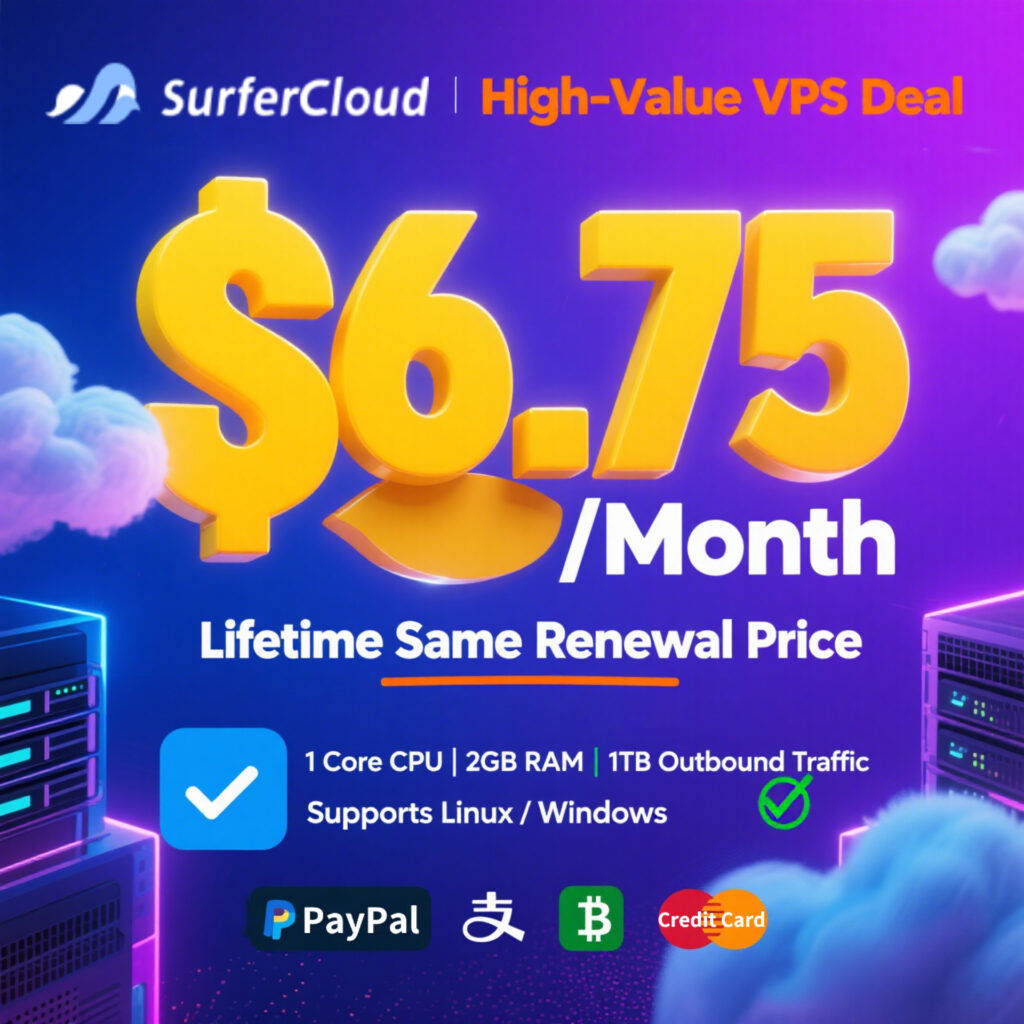
Read the table with the renewal section above in mind: the two Lightsail rows keep their price forever but charge separately for the IPv4 most readers actually need, while the ULightHost rows — from SurferCloud's lightweight line at surfercloud.com/promos/ulighthost — include the dedicated IPv4, NVMe disk, and Linux-or-Windows choice in the flat price, with the new-user discount stepping up at renewal (a locked-renewal track at $6.75/mo exists for the same bundle). The structural takeaway: at this price level you are choosing a contract shape — flat-with-IP-add-on versus bundle-with-renewal-step — far more than you are choosing performance.
One more axis the price table cannot show: region. Lightweight lines differ wildly in where their datacenters sit, and for a single-server workload the box's distance from your users moves perceived performance more than any spec on this page — the same proximity logic that makes a Hong Kong VPS the standard choice for reaching both China and Southeast Asia applies unchanged to lightweight tiers.
You can decide whether the lightweight contract fits your workload with five questions and ten minutes — if all five answers land on the lightweight side, no further analysis is needed; any "no" points you at the specific fuller product you need instead.
The test's power is that each "no" is actionable rather than fatal: it names the exact capability (private networking, scaling, ceiling, egress) your workload actually requires, which turns a product-category decision into a shopping list for the right family of the full catalog.
Lightweight boxes announce their own obsolescence through four measurable signals — sustained CPU saturation, repeated traffic overage, the need for private networking, and the second-server event — and the exit, when it comes, is a four-step migration you can run inside an hour.
The signals, in the order they usually arrive:
The migration itself, compressed to the steps that matter:
Because lightweight instances are standard virtual machines with standard snapshots, nothing about this migration is exotic — which is precisely the point of buying the category from a cloud provider rather than a classic VPS shop: the exit is a paved road, not a rebuild.
What is a lightweight cloud server in simple terms?
It is a ready-made virtual machine sold as one fixed bundle — CPU, RAM, NVMe disk, a monthly outbound traffic allowance, and a dedicated public IP — managed through a single simplified console, designed so a beginner can go from payment to running website in one evening without designing any network or picking any components.
Is a lightweight cloud server the same as a VPS?
No — the classic VPS is a fixed-spec machine with a raw network port and panel-plus-ticket management, while the lightweight product is cloud-family infrastructure (provider-scheduled host recovery, snapshots, an API) packaged into appliance simplicity; the traffic model also differs, with lightweight tiers metering outbound GB against a quota where many VPS lines cap port speed instead.
Is a lightweight cloud server slower than a regular cloud server?
Not inherently: lightweight instances run on the same hypervisors and storage classes as their providers' full lines — one current line advertises 10M PPS network and 1.2M IOPS storage explicitly benchmarked against AWS. The real differences are the fixed instance family, the bandwidth cap, and the top bundle ceiling; measure your own workload before assuming the category is throttled.
Can I run WordPress or Docker on a lightweight cloud server?
Yes — this is the category's home ground: providers ship one-click application images for WordPress, Docker, and LAMP stacks (one major provider lists 30+ as of late 2026), and a 2 GB bundle with 1 TB of traffic holds a real blog or a small containerized app comfortably.
Why is the first month so cheap? What happens at renewal?
Entry prices are new-user acquisition discounts: a typical $2.9/mo bundle renews at $7.5/mo as of November 2026. Compute your twelve-month cost at the renewal price before comparing tiers, and check whether the provider offers a locked-renewal track — equal first and renewal prices — which usually wins for permanent workloads.
What happens if I exceed the traffic allowance?
One of two things, stated on the tier page before you buy: excess outbound transfer is billed per GB, or the port is throttled to a reduced speed until the next cycle. Inbound traffic is typically unlimited and never counts against the quota either way.
Does a lightweight cloud server come with a dedicated IP address?
In the mainstream category, yes — a dedicated public IPv4 is part of the bundle on most lines, including both entry tiers shown in the November 2026 table above; the notable exception pattern is AWS Lightsail, whose advertised $3.50 entry bundle is IPv6-only with the public IPv4 billed as an add-on, so read the IP line before comparing headline prices.
Can I upgrade from a lightweight cloud server to a full cloud server later?
Yes, and the path is deliberately paved: take a snapshot, provision the full-cloud machine, verify, cut DNS over with a low TTL, and keep the old box warm for 48 hours as rollback. Because both products are standard virtual machines from the same provider, the migration is an hours-scale operation, not a rebuild.
Is a lightweight cloud server enough for a production website?
For a single-server production site — content site, small app, API in front of a CDN — yes, with the traffic math checked (a 1 TB allowance is roughly 500,000 page views at 2 MB each); for multi-server production, spiky launches, or private networking requirements, the contract's removed capabilities are the limiting factor, not the hardware.