What Is a VPC? A Beginner’s Guide to Virtua
When you launch a cloud server, you may think the proce...








In today's digital-first business environment, companies are rapidly moving away from traditional hardware-dependent computing models and embracing cloud-based infrastructure. While cloud servers, cloud storage, and SaaS applications have become mainstream, another technology is quietly transforming how people work, manage businesses, and access computing resources: the cloud desktop.
Whether you're a remote worker, a cross-border e-commerce seller, a software developer, a digital marketer, or a business owner managing distributed teams, cloud desktops provide a flexible, secure, and scalable alternative to traditional computers.
This guide explores everything you need to know about cloud desktops, including how they work, their benefits, common use cases, cost advantages, and why solutions such as SurferCloud Cloud Desktop are becoming increasingly popular among modern businesses.
Get Started: https://www.surfercloud.com/solutions/cloud-desktop
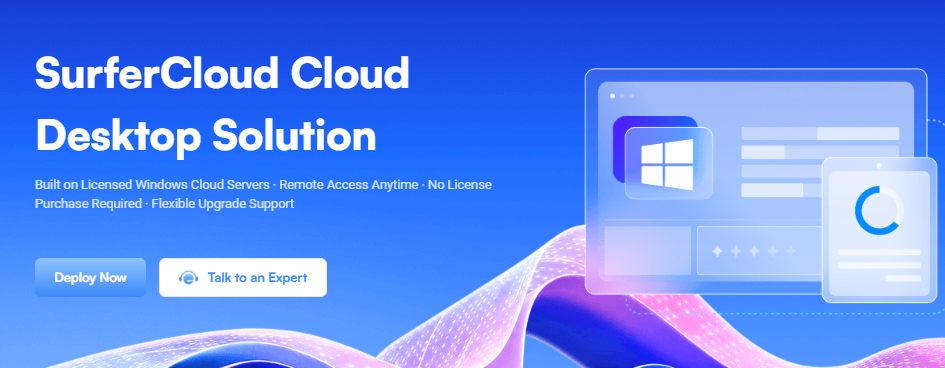
A cloud desktop is a virtual Windows desktop environment hosted on cloud infrastructure rather than on a physical computer.
Instead of purchasing and maintaining a desktop PC or workstation, users access a complete Windows operating system remotely through an internet connection. The desktop, applications, files, and computing resources all run inside cloud servers located in professional data centers.
From the user's perspective, the experience is similar to using a traditional Windows computer. The key difference is that the actual machine exists in the cloud.
Users can connect to their cloud desktop from:
As long as there is an internet connection, the desktop can be accessed from virtually anywhere in the world.
A cloud desktop operates on virtualization technology.
Cloud service providers allocate dedicated or shared computing resources inside powerful server clusters. Each user receives an isolated Windows environment that behaves like an independent computer.
The process typically works as follows:
The cloud provider provisions CPU, memory, storage, and network resources.
A licensed Windows operating system is installed and configured.
Users receive remote access credentials and connect through Remote Desktop Protocol (RDP) or similar technologies.
Applications, files, and business processes run inside the cloud environment rather than on local hardware.
Additional CPU, memory, storage, or bandwidth can be added as business requirements grow.
This model eliminates many of the limitations associated with traditional computers.
The modern workforce is increasingly mobile.
Employees work from home, travel internationally, collaborate across multiple time zones, and access business systems from various devices.
Traditional desktop computers were never designed for this level of flexibility.
Cloud desktops solve several challenges simultaneously.
Employees can access the same desktop environment regardless of their location.
Whether working from:
The experience remains consistent.
A cloud desktop can be accessed from almost any device.
Businesses no longer need to purchase expensive laptops for every employee.
Traditional desktop infrastructure requires:
Cloud desktops transfer these responsibilities to the provider.
Provisioning a new cloud desktop often takes minutes rather than days.
New employees can begin working almost immediately.
IT teams can manage users, applications, permissions, and security policies from a centralized environment.
Many organizations evaluate cloud desktops as an alternative to physical workstations.
The differences become clear when comparing key factors.
| Feature | Cloud Desktop | Traditional Computer |
|---|---|---|
| Initial Cost | Low | High |
| Hardware Purchase | Not Required | Required |
| Maintenance | Provider Managed | User Managed |
| Remote Access | Native Support | Additional Setup Needed |
| Scalability | Instant | Hardware Replacement |
| Availability | Anywhere | Device Dependent |
| Disaster Recovery | Easier | More Complex |
| Device Flexibility | High | Limited |
For many businesses, the cloud desktop model provides greater flexibility and lower long-term operational costs.
One major advantage of cloud desktops is continuous availability.
Unlike home or office computers, cloud infrastructure operates in professional data centers with:
As a result, users can run workloads 24/7 without worrying about local outages.
Hardware failures happen.
Laptops get stolen.
Hard drives fail.
Power outages occur.
Cloud desktops minimize these risks because data and applications remain inside professionally managed cloud infrastructure.
Managing hundreds of physical computers can be expensive and time-consuming.
Cloud desktops allow IT teams to:
This reduces administrative overhead significantly.
Businesses rarely remain static.
As teams grow, computing requirements increase.
Cloud desktops allow organizations to scale resources on demand without purchasing new hardware.
Many cloud desktop providers offer:
Security can often be stronger than what small businesses can implement independently.
Cloud desktops are highly versatile and support numerous business scenarios.
One of the fastest-growing use cases is cross-border e-commerce.
Online sellers often manage multiple platforms simultaneously, including:
Cloud desktops provide stable operating environments that remain online continuously.
Benefits include:
For e-commerce businesses managing multiple stores, cloud desktops can significantly improve operational efficiency.
Remote and hybrid work models are now standard in many industries.
Cloud desktops enable employees to access company resources securely from anywhere.
Organizations can deploy standardized Windows environments containing:
This creates a consistent experience for every team member.
Many businesses rely on automation tools for repetitive tasks.
Examples include:
These tasks often need to run continuously.
A cloud desktop provides a reliable environment that remains online even when local devices are turned off.
Developers frequently need isolated Windows environments.
Cloud desktops are useful for:
New environments can be deployed quickly without additional hardware purchases.
Marketing teams often use cloud desktops for:
Because desktops remain accessible from multiple locations, team productivity improves significantly.
Cloud desktop pricing typically depends on:
More virtual CPUs provide better performance for demanding applications.
Additional RAM improves multitasking capabilities.
Larger storage volumes support more applications and files.
Bandwidth determines data transfer speed and responsiveness.
Dedicated resources generally provide greater stability than shared resources.
Businesses should choose plans based on workload requirements rather than selecting the largest configuration available.
Not all cloud desktop solutions are equal.
Several factors should be evaluated before making a decision.
Some providers require customers to supply Windows licenses separately.
A better solution includes officially licensed Windows systems.
Business requirements change over time.
The ability to upgrade CPU, memory, and bandwidth without migration is highly valuable.
Enterprise-grade infrastructure is essential for long-term reliability.
Technical assistance becomes critical when business operations depend on cloud resources.
Predictable pricing helps organizations control IT expenses.
Among the growing number of cloud desktop providers, SurferCloud has developed a cloud desktop solution specifically designed for businesses seeking flexibility, stability, and cost efficiency.
The platform is built on licensed Windows cloud servers and allows users to deploy Windows desktop environments without purchasing separate Windows licenses.
This removes one of the most common barriers businesses encounter when adopting cloud-based desktop infrastructure.
Every cloud desktop includes an officially licensed Windows operating system.
Users do not need to purchase additional licenses, simplifying deployment and reducing costs.
Users can access their desktop from:
This flexibility supports modern remote work requirements.
The platform is designed for long-term continuous operation.
Business processes remain active regardless of local device shutdowns or power interruptions.
As workloads increase, resources can be upgraded without replacing hardware.
This makes growth significantly easier than traditional IT infrastructure.
SurferCloud offers multiple plans designed to accommodate different business needs.
Ideal for office productivity and lightweight workloads.
Specifications:
Starting at approximately $10.40 per month. Order Now
Suitable for multitasking and e-commerce operations.
Specifications:
Starting at approximately $24.00 per month. Order Now
Designed for users prioritizing stability and resource isolation.
Specifications:
Starting at approximately $49.11 per month. Order Now
Suitable for high-load business workloads.
Specifications:
Starting at approximately $72.81 per month. Order Now
The ULightHost Standard plan is generally sufficient for:
The ULightHost Enhanced plan offers additional resources suitable for:
The UHost Elastic Stable plan provides dedicated bandwidth and stronger resource isolation.
The UHost Elastic Enterprise plan delivers the resources needed for demanding workloads and future growth.
Several market trends are accelerating cloud desktop adoption.
Organizations worldwide continue supporting distributed teams.
Cloud desktops provide the infrastructure necessary for flexible work models.
Replacing physical computers every few years can be expensive.
Subscription-based cloud desktops provide predictable costs.
Businesses must protect data across multiple locations and devices.
Centralized cloud environments simplify security management.
Companies increasingly operate across borders.
Cloud desktops provide location-independent computing environments that support international operations.
No.
For most users, the experience is nearly identical to using a traditional Windows computer.
Not necessarily.
Since processing occurs in the cloud, even modest devices can access powerful desktop environments.
Yes.
Most Windows-compatible applications can be installed and operated normally.
Absolutely.
In fact, small businesses often benefit the most because they avoid large upfront hardware investments.
Most modern providers, including SurferCloud, support flexible upgrades as requirements evolve.
Cloud desktops represent a major shift in how businesses access computing resources. Instead of relying on expensive physical hardware, organizations can deploy flexible Windows environments in the cloud and access them from anywhere.
The benefits are substantial:
For organizations managing remote teams, cross-border e-commerce operations, software automation tasks, or business-critical Windows applications, cloud desktops are no longer a niche technology—they are becoming a foundational component of modern IT infrastructure.
Among available solutions, SurferCloud Cloud Desktop stands out by combining licensed Windows environments, flexible resource upgrades, multiple deployment options, and business-focused reliability. Whether you're an individual professional, an e-commerce entrepreneur, or a growing enterprise, cloud desktops can provide a more agile and efficient alternative to traditional computing.





