Choosing the right operating system for your cloud server is a foundational decision that dictates your performance, security, and budget for years to come. At SurferCloud, we see thousands of developers and enterprises navigating this choice: Linux or Windows?
While both platforms are powerful, they serve different masters. This comprehensive guide will break down the technical nuances, cost implications, and performance benchmarks to help you decide which environment on SurferCloud’s global infrastructure is right for your project.
1. The Core Philosophy: Open Source vs. Proprietary
The fundamental difference lies in the "DNA" of the operating system.
Linux (The Open-Source Titan): Linux is a community-driven, open-source kernel. Distributions like Ubuntu, CentOS, Debian, and Rocky Linux dominate the server world (powering over 90% of the world’s top 1 million domains). It is modular, lightweight, and highly customizable.
Windows (The Enterprise Powerhouse):Windows Server (2019, 2022, 2025) is a commercial product from Microsoft. It focuses on integration, ease of use through a Graphical User Interface (GUI), and seamless compatibility with the vast Microsoft ecosystem.
2. Performance and Resource Efficiency
In the cloud, where you pay for what you use, resource efficiency is king.
Linux: The Minimalist
Linux is inherently "headless," meaning it is typically managed via a Command Line Interface (CLI). Without the need to render a heavy graphical desktop, Linux consumes significantly less RAM and CPU.
Idle Usage: A minimal Linux install might use only 200MB–500MB of RAM.
Efficiency: Applications like Nginx or Node.js running on Linux are known for their high concurrency and low latency.
Windows: The All-In-One
Windows Server traditionally includes a GUI. While this makes it user-friendly, it carries "overhead."
Idle Usage: A standard Windows Server instance often requires 1.5GB–2GB of RAM just to stay operational.
Advancements: Microsoft has introduced Windows Server Core, a GUI-less version that narrows this performance gap, though Linux remains the leader in raw speed-to-resource ratio.
3. The Software Stack: Which Ecosystem Are You In?
Your choice often isn't about the OS but the applications you need to run.
The LAMP/LEMP Stack (Linux)
If you are building with open-source tools, Linux is the industry standard.
Languages: PHP, Python, Ruby, Go, Node.js.
Databases: MySQL, MariaDB, PostgreSQL, MongoDB.
CMS: WordPress, Magento, Drupal.
The .NET & Microsoft Stack (Windows)
If your business relies on proprietary Microsoft technologies, Windows is mandatory.
Languages: ASP.NET, C#, VB.NET.
Databases: Microsoft SQL Server (MSSQL).
Enterprise Tools: Active Directory, SharePoint, Microsoft Exchange, and proprietary legacy software built specifically for the Windows environment.
4. Security: Two Different Paths to Protectio
Security in the cloud is a shared responsibility between SurferCloud and the user.
Linux Security: Because the code is open-source, vulnerabilities are often spotted and patched by the global community within hours. Linux also uses a strict permission model (root vs. user) that makes it harder for malware to spread. However, it requires a higher level of expertise to harden the server manually.
Windows Security: Windows is a more frequent target for malware due to its popularity in the consumer space. However, Microsoft provides robust, centralized security updates and integrated tools like Windows Defender and Active Directory for identity management. It is "secure by default" for users who prefer a hands-off approach.
5. Cost Analysis: Total Cost of Ownership (TCO)
Budget is where the two paths diverge most sharply.
Feature
Linux Hosting
Windows Hosting
OS Licensing
Free (mostly)
Paid (License fee required)
Minimum Hardware
Low (1 vCPU, 1 GB RAM)
Higher (2 vCPU, 2GB+ RAM)
Maintenance
Community-supported
Microsoft-supported
Total Price
Generally 20-40% cheaper
More expensive due to licensing
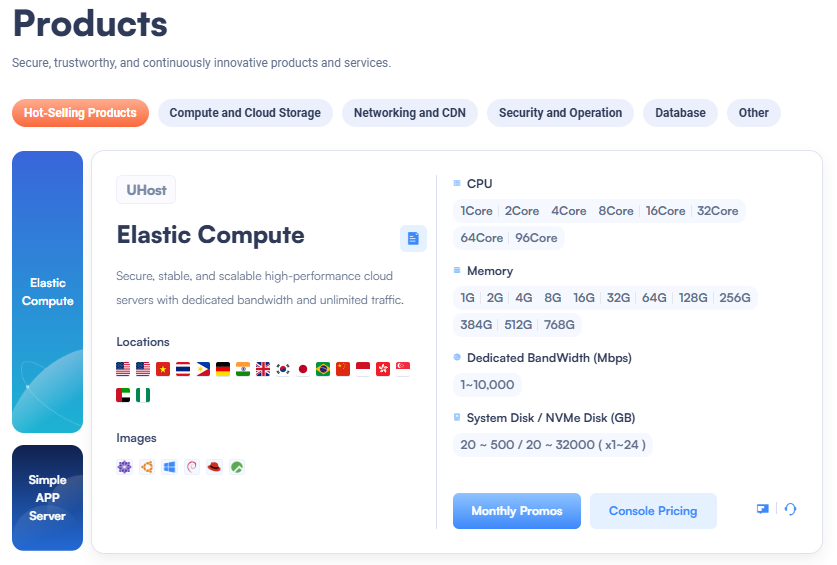
At SurferCloud, our UHost (Cloud Server) instances allow you to pick your OS during deployment. Because Linux has no licensing fee, you’ll find our Ubuntu or CentOS plans offer the most "bang for your buck," starting as low as $5.90/month.
6. Ease of Use: GUI vs. CLI
Windows: If you can use a laptop, you can manage a Windows Server. Through Remote Desktop Protocol (RDP), you interact with a familiar desktop environment. This is ideal for teams without dedicated Linux administrators.
Linux: Management happens via SSH (Secure Shell). You type commands to move files, install updates, and configure services. While there is a steeper learning curve, it allows for powerful automation and scripting that is harder to achieve in a GUI.
7. Why Choose SurferCloud for Your Hosting?
Whether you choose Linux or Windows, SurferCloud provides a high-performance foundation with:
Global Footprint: Deploy in 17+ data centers, including Hong Kong, Singapore, Los Angeles, and London.
High Availability: We guarantee 99.95% uptime, ensuring your business stays online.
Flexible Billing: Use our Pay-As-You-Go (Hourly) model to test both OS environments without a long-term commitment.
No KYC & USDT Support: We prioritize your privacy and ease of payment.
Conclusion: Which One Should You Pick?
Choose Linux if:
You are a developer or have a tech-savvy team.
You are running a WordPress site, an eCommerce store (Magento), or a web app (Node.js/Python).
You want to minimize monthly costs.
You need high scalability and low resource overhead.
Choose Windows if:
You require .NET, ASP, or MSSQL.
Your team is only comfortable with a graphical user interface.
You need to integrate with existing Microsoft enterprise tools like Active Directory.
Ready to start? Experience the power of the cloud today. Deploy your first instance in under 30 seconds.
Would you like me to help you compare specific SurferCloud pricing plans for Linux vs. Windows?
SurferCloud Cloud Server Deployment Guide This video provides a practical look at how to deploy and manage servers on the SurferCloud platform, which is helpful for seeing the interface in action before you choose an OS.