The $9.9/Year VPS Deal — A Simple Way to St
If you’ve ever wanted to try cloud hosting but hesita...









Looking for the best cloud storage for your startup? Here's the quick answer:
Key considerations:
| Feature | AWS | Azure | Google Cloud |
|---|---|---|---|
| Standard Storage | $0.023/GB/month | $0.018/GB/month | $0.020–$0.023/GB/month |
| Archive Storage | $0.00099–$0.004/GB/month | $0.002/GB/month | $0.0012/GB/month |
| Free Credits | $200 (12 months) | $200 + 12 months free | $300 (90 days) |
| Best For | High transactions | Microsoft integrations | AI and analytics |
Each provider has strengths tailored to different needs. Choose AWS for flexibility, Azure for Microsoft compatibility, and Google Cloud for advanced analytics. Dive into the details to align your choice with your startup's goals.
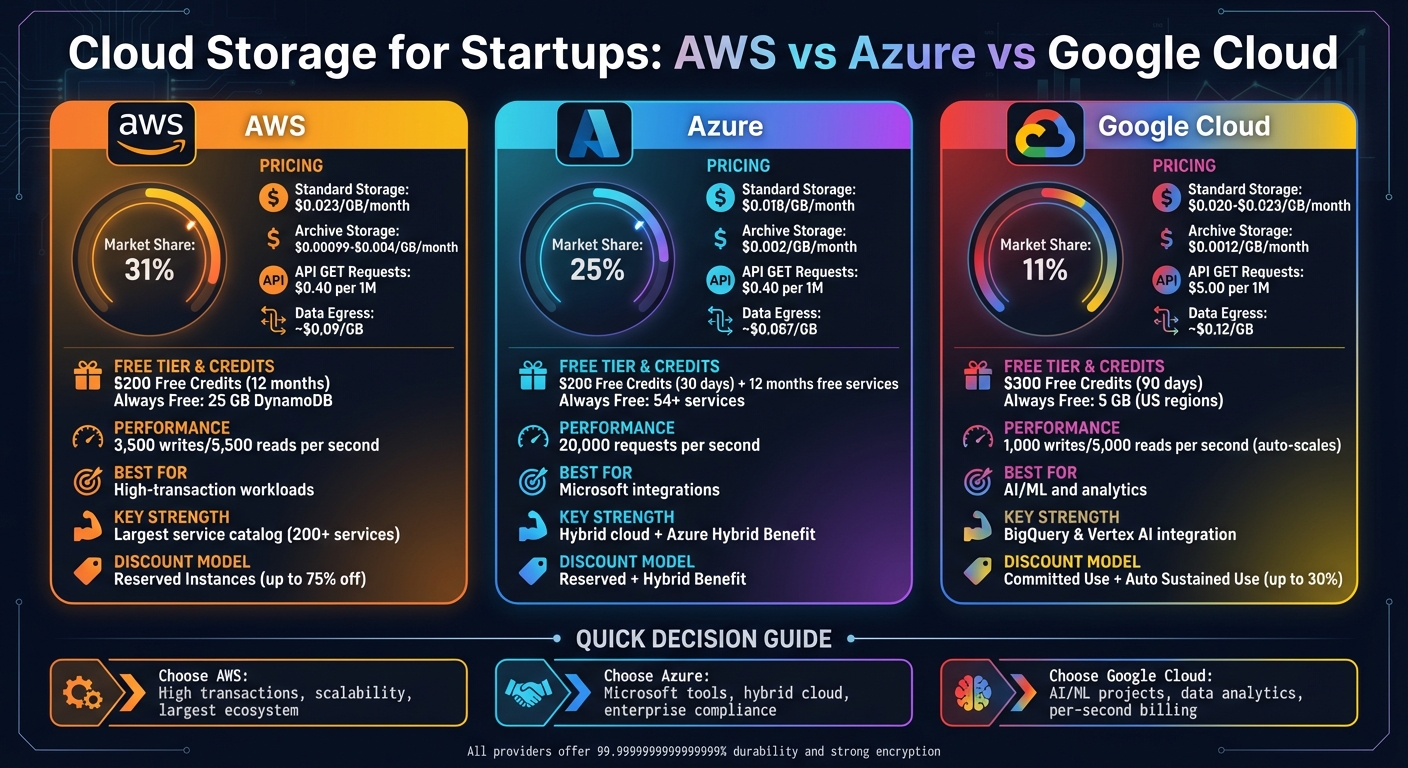
AWS vs Azure vs Google Cloud Storage Comparison for Startups
Amazon S3 provides virtually unlimited storage, scaling effortlessly from a few gigabytes to massive petabytes without the need for managing hardware [7]. Each object stored can be as large as 5 TB [7].
One of its standout features is its high durability, achieved by replicating data across at least three Availability Zones. It supports six storage classes tailored for different needs. For example, S3 Standard is ideal for frequently accessed data, while S3 Glacier Deep Archive is perfect for long-term storage at an incredibly low rate of $0.00099 per GB. There's also S3 Intelligent-Tiering, which automatically moves data between tiers based on access patterns [8][5].
Security is a top priority with S3. Features like Block Public Access, enabled by default, and automatic encryption for new objects ensure data protection. It also integrates seamlessly with AWS Identity and Access Management (IAM) for granular access control [6]. Additionally, versioning safeguards against accidental deletions, and lifecycle policies allow users to automate data transitions or set expiration rules [6].
AWS operates on a pay-as-you-go model, making it flexible for startups. New customers can take advantage of up to $200 in Free Tier credits to help with initial costs [9]. The Free Tier includes 5 GB of S3 Standard storage, 20,000 GET requests, and 2,000 PUT requests per month during the first year [12].
For ongoing costs, S3 Standard storage starts at about $0.023 per GB per month for the first 50 TB in the US-East region. PUT/COPY/LIST requests are priced at approximately $0.005 per 1,000 requests. Data transfers into S3 are free, and the first 100 GB of data transferred out to the internet each month is also free [8].
"AWS offers you a pay-as-you-go approach for pricing for the vast majority of our cloud services. With AWS you pay only for the individual services you need, for as long as you use them, and without requiring long-term contracts or complex licensing."
– Amazon Web Services [11]
To avoid overspending, startups can set budget alerts using AWS Budgets [10]. Additionally, for data with unpredictable access patterns, enabling S3 Intelligent-Tiering can help reduce unexpected retrieval costs [8].
These pricing options, combined with credits, create a flexible structure for startups, though navigating AWS's pricing complexity requires careful planning.
| Strengths | Weaknesses |
|---|---|
| Dominates the market with 33% share and a reputation for reliability [13] | Steep learning curve, requiring technical expertise [14] |
| Access to over 200 services, creating a robust ecosystem | Pricing complexity, with frequent monthly updates (197 changes for some instances) [15] |
| AWS Activate offers up to $100,000 in credits for eligible startups [14] | Lacks sub-account resource containers, complicating sandbox projects [14] |
| S3 Multi-Region Access Points can improve performance by up to 60% [6] | Startup credits lag behind competitors (e.g., Google offers $200k–$350k, Azure offers $150k) [14] |
| S3 Express One Zone offers 10× faster data access with 80% lower request costs [5] | Documentation is often segmented by programming language, making comparisons harder [14] |
For startups with experienced engineers or those needing access to a wide range of services, AWS provides powerful tools and flexibility. However, its learning curve and pricing intricacies mean it's better suited for teams ready to invest the time and expertise required to maximize its potential.
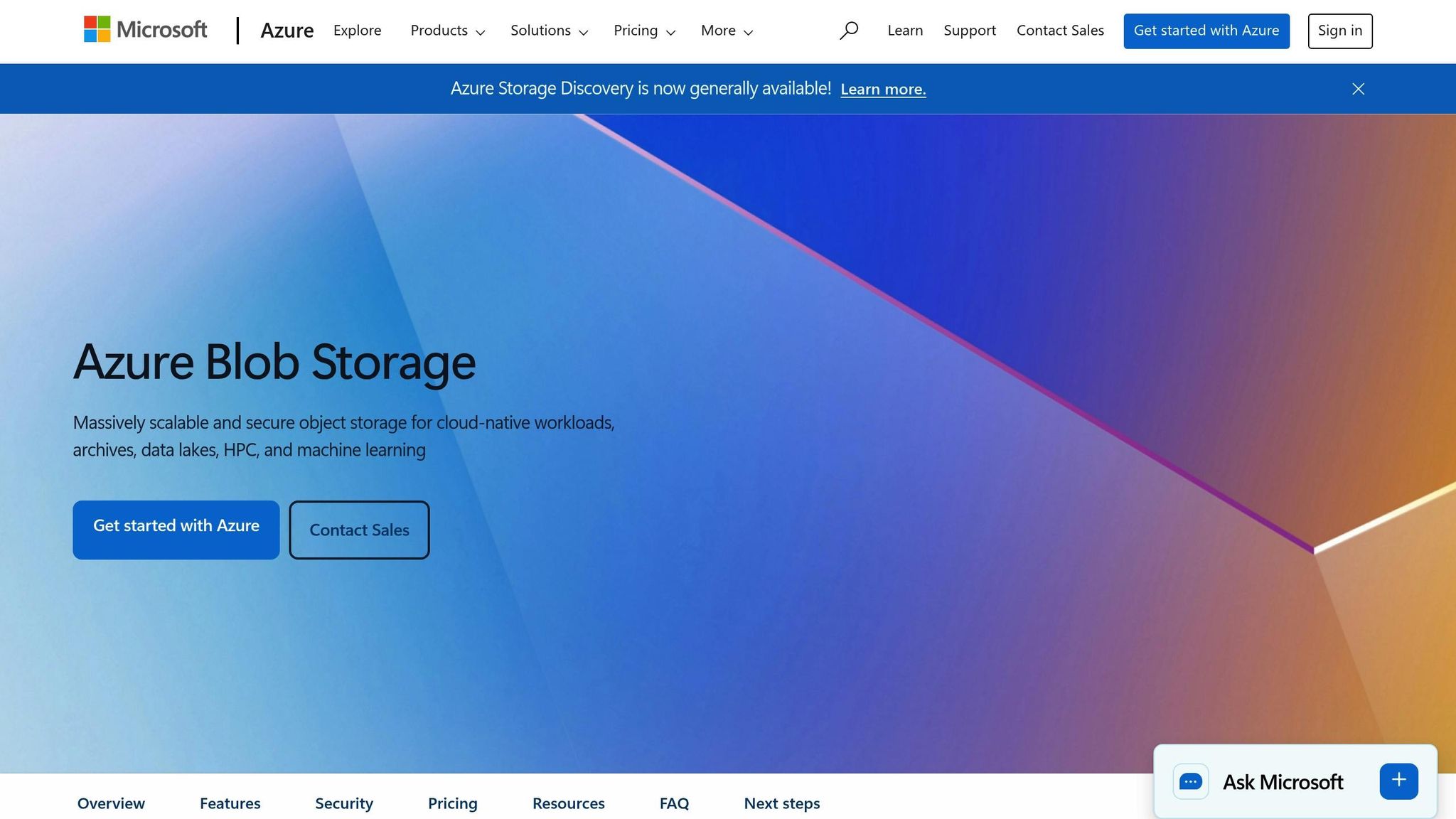
Azure Blob Storage is a versatile solution for handling unstructured data, making it a go-to for cloud-native applications, data lakes, and mobile backends. Its scalability eliminates the need for managing hardware, allowing startups to focus on growth instead of managing cloud infrastructure.
One standout feature is the variety of access tiers designed to optimize costs. The Premium tier, powered by SSD-based storage, ensures high performance. For frequently accessed data, the Hot tier is ideal. For less frequently used files, the Cool and Cold tiers offer lower costs but require minimum storage durations of 30 and 90 days, respectively. Need long-term archival storage? The Archive tier costs just $0.002 per GB per month but comes with a 180-day minimum and slower retrieval times.
Azure also supports hybrid cloud setups. Tools like Azure Arc and Azure Stack seamlessly connect on-premises servers to cloud storage, enabling flexibility for businesses with mixed environments.
On the security front, Azure Blob Storage doesn’t cut corners. It offers Microsoft Entra ID for authentication, role-based access control, and 256-bit AES encryption to keep data safe at rest. Developers will appreciate its support for popular languages like Java, .NET, Python, and Node.js, as well as its native integration with Azure Functions. And with over 34,000 security engineers on staff, Microsoft takes protection seriously.
These features make Azure Blob Storage a strong contender for startups looking to balance performance and cost while benefiting from robust security and hybrid capabilities.
For startups already using Windows Server or SQL Server, the Azure Hybrid Benefit is a game-changer, offering significant savings by leveraging existing licenses. Startups in highly regulated industries like healthcare or finance will also appreciate Azure’s extensive compliance portfolio, which includes over 100 certifications, with more than 50 tailored to specific countries and regions.
New Azure accounts come with enticing perks: 12 months of free core services and a $200 credit to explore the platform. Beyond the free tier, Azure offers Reserved Capacity pricing, which rewards long-term commitments. For example, a three-year plan for 100 TB of Hot storage per month costs $1,244, while Cool storage drops to $676 for the same capacity.
"Get the best value at every stage of your cloud journey with simple pricing and predictable, transparent costs." – Microsoft Azure
Azure also simplifies cost management with automated lifecycle management policies, which move aging data to cooler, more cost-effective tiers without requiring manual intervention. Meanwhile, Azure SQL Database boasts a 99.995% availability SLA, and Cosmos DB pushes availability even further to 99.999%.
| Strengths | Weaknesses |
|---|---|
| Ideal for startups already using Windows, Teams, or Office 365 | Pricing can be complex, especially across tiers and redundancy options |
| Excellent hybrid tools for bridging on-premises and cloud environments | Variety of services may overwhelm new developers |
| Deep savings through Azure Hybrid Benefit and Reserved Capacity (up to 85%) | AWS offers a broader range of specialized storage integrations |
| Strong compliance credentials, perfect for fintech or healthcare startups | Google Cloud is often seen as more advanced in AI-driven storage solutions |
| "Sixteen-nines" (99.99999999999999%) durability ensures data resilience | Archive tier’s slow retrieval may not suit immediate access needs |
Azure is a standout choice for startups that are part of the Microsoft ecosystem or need hybrid cloud solutions. While the cost-saving opportunities through license reuse and reserved capacity are appealing, navigating Azure’s pricing and service options can be challenging. However, for those who invest the time to understand its offerings, Azure delivers a powerful mix of performance, security, and flexibility.
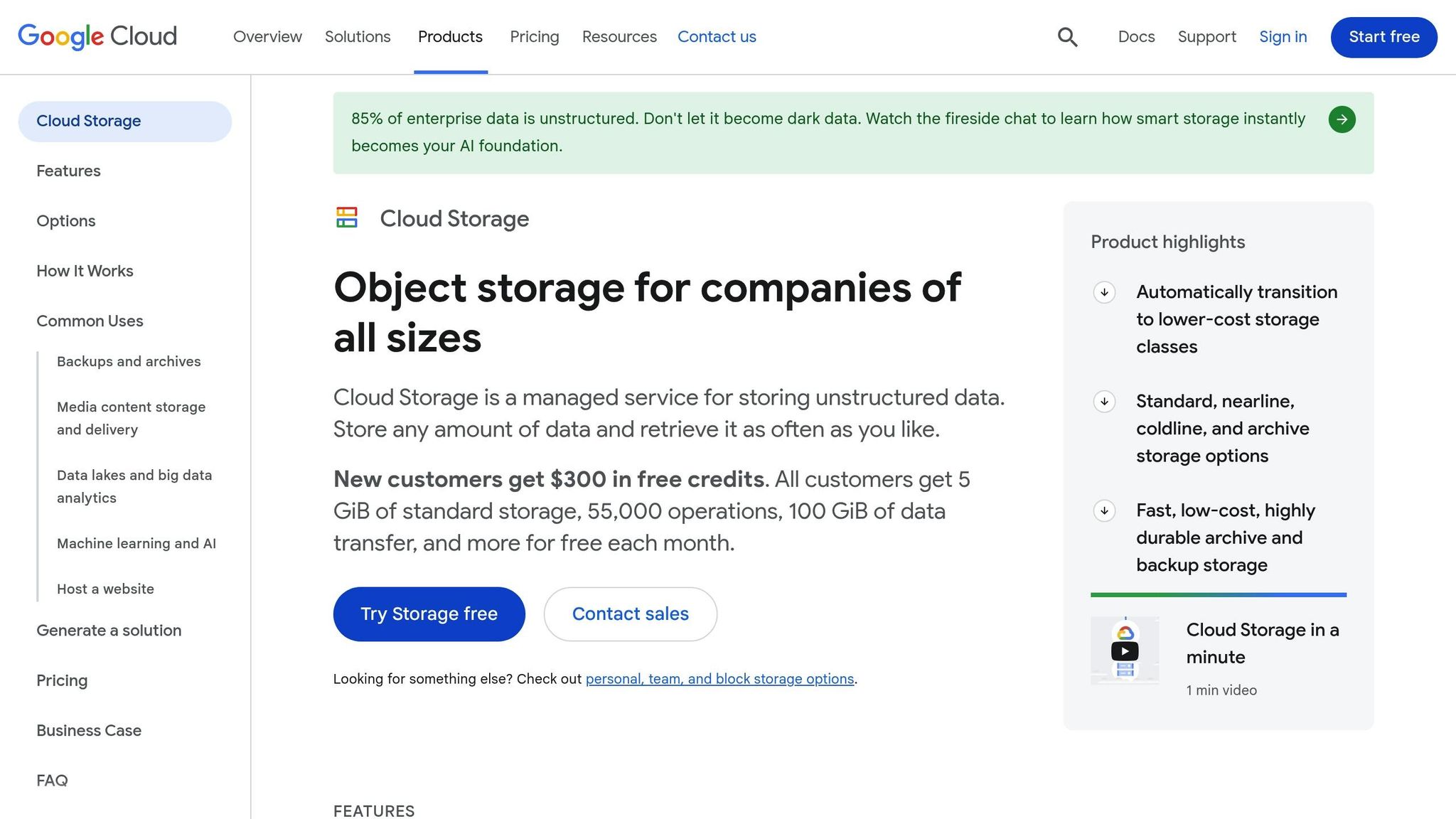
Google Cloud Storage brings together its storage classes - Standard, Nearline, Coldline, and Archive - under a single API. This makes it easy to manage data, whether it’s being actively used or stored long-term [21].
For startups working on AI projects, features like Anywhere Cache speed up GPU and TPU workloads, while the Hierarchical Namespace can increase initial query performance by up to eight times [18][19][20].
"Cloud Storage is a global, secure, and scalable object store for immutable data such as images, text, videos, and other file formats." – Priyanka Vergadia, Staff Developer Advocate, Google Cloud [21]
Cost optimization is streamlined with Autoclass, which automatically moves data to lower-cost storage tiers based on usage patterns. This eliminates the need to manually set lifecycle rules [18][21]. Security is a priority, with built-in 256-bit AES encryption for data at rest and in transit. Additionally, the Soft Delete feature offers a 7-day retention window to protect against accidental deletions [20][21].
To support various growth stages, Google Cloud Storage offers three redundancy options:
These features provide startups with a flexible foundation to manage storage efficiently while keeping costs predictable.
Google Cloud’s pricing structure is designed with startups in mind. Virtual Machines (VMs) are billed per second, giving startups more precise cost control compared to hourly billing systems [15][26]. New users benefit from $300 in free credits valid for 90 days, as well as access to over 20 "Always Free" products, including 5 GB of storage in U.S. regions [19][22][24].
Here’s a quick breakdown of storage costs:
Operations are split into two categories:
Startups can also take advantage of Sustained Use Discounts, which automatically reduce VM costs by up to 30% if they’re used for most of the month [15][24]. For AI and analytics workloads, Google Cloud often stands out due to its seamless integration with tools like BigQuery and Vertex AI [27].
One thing to watch out for is data egress fees - outbound transfers start at $0.12 per GB for the first 10 TB [18][25]. Keeping storage and compute within the same region can help reduce these costs since such transfers are typically free.
| Strengths | Weaknesses |
|---|---|
| Excellent integration with AI/ML tools like Anywhere Cache and Hierarchical Namespace | Higher outbound data egress fees (e.g., $0.12 per GB for the first 10 TB) |
| Automatic Sustained Use Discounts of up to 30% without needing reservations | Archive storage requires a 365-day minimum retention, which limits flexibility |
| Unified bucket model simplifies managing data across different storage tiers | Setting up security configurations (e.g., IAM and KMS) can be complex |
| Per-second billing for precise cost management | Limited free support tiers may delay resolution of urgent issues |
| Strong compatibility with BigQuery and Vertex AI for advanced analytics | |
| Google for Startups Cloud Program provides up to $350,000 in credits for AI-focused startups |
Google Cloud Storage offers a compelling option for startups, especially those developing AI-driven products or focused on data analytics. However, higher egress costs, strict archival retention periods, and the complexity of some security tools mean startups should weigh their needs and budget carefully or consider alternatives to AWS, Azure, and Google Cloud before diving in.
All three platforms boast high durability, ensuring minimal risk of data loss even with massive object volumes [16]. They also provide strong read-after-write consistency. AWS adopted this feature for all operations in December 2020, aligning with the capabilities already offered by Azure and Google Cloud [16].
As of Q1 2024, AWS leads the market with a 31% share, followed by Azure at 25% and Google Cloud at 11% [28]. AWS operates in 32 geographic regions with 99 availability zones, while Azure spans over 60 regions across 140 countries [17].
| Feature | AWS | Azure | Google Cloud |
|---|---|---|---|
| Standard Storage (per GB/month) | $0.023 [29] | $0.018 [29] | $0.020–$0.023 [29] |
| Archive Storage (per GB/month) | $0.00099–$0.004 [29] | $0.002 [29] | $0.0012 [29] |
| API GET Requests (per 1M) | $0.40 [3] | $0.40 [3] | $5.00 [3] |
| Data Egress (per GB) | ~$0.09 [3] | ~$0.087 [3] | ~$0.12 [3] |
| Free Tier Duration | 12 months [23] | $200 credit (30 days) + 12 months [23] | $300 credit (90 days) [28] |
| Always Free Storage | 25 GB (DynamoDB) [23] | 54+ services [23] | 5 GB (US regions only) [23] |
| Billing Increment | Per-second (60s minimum) [15] | Per-minute (some per-second) [15][28] | Per-second [15][28] |
| Discount Model | Reserved Instances (up to 75% off) [28] | Reserved + Hybrid Benefit [28] | Committed Use + Automatic Sustained Use [28] |
| Performance Scaling | 3,500 writes/5,500 reads per second per prefix [30] | 20,000 requests per second per account [30] | 1,000 writes/5,000 reads per second (auto-scales) [30] |
"GCP is often cheapest for data-analytics workloads; AWS pricing can be complex." – Clarifai [27]
Google Cloud has been noted for delivering 10% higher IaaS performance than AWS and Azure in certain benchmarks, often achieving better I/O throughput at lower costs [27]. Meanwhile, AWS Spot Instances offer discounts of up to 90% for fault-tolerant workloads [15][28].
The table above provides a snapshot of the platforms' offerings. Now let’s align these features with specific startup needs.
For high-transaction workloads:
AWS S3's prefix-based scaling is a strong option for handling traffic spikes. Its API GET request costs ($0.40 per million) are significantly lower than Google Cloud's ($5.00 per million) [3].
For AI and machine learning projects:
Google Cloud excels with tools like BigQuery and Vertex AI, and its automatic sustained-use discounts help manage costs without requiring reservations. Startups focused on data analytics benefit from its simpler pricing and higher I/O throughput [27].
For Microsoft-centric startups:
Azure is ideal for organizations already using Microsoft products. The Azure Hybrid Benefit allows startups to apply existing Windows Server or SQL Server licenses for discounts. Large-scale deals have also surged, with $100 million+ agreements increasing by over 80% year-over-year as of late 2024 [4][17][27].
For global scaling:
Google Cloud’s multi-regional buckets automatically replicate data across continents, ensuring low-latency access. AWS offers similar functionality through Cross-Region Replication (CRR), but it requires manual setup, giving users more control at the cost of added complexity [17][3].
For cost-conscious startups with predictable workloads:
Reserved capacity commitments can yield significant savings - 57% with Google Cloud and up to 75% with AWS compared to pay-as-you-go rates [28]. Additionally, Arm CPUs consistently deliver better value than x86 CPUs across all three providers, with Azure showing the largest pricing gap - up to 69% for Spot instances [15].
These comparisons provide a clear roadmap for startups to choose the cloud storage solution that best fits their growth and operational goals.
When deciding on cloud storage, the best platform depends on your startup's technical needs and growth plans. For those testing new ideas, pay-as-you-go cloud servers offer the necessary agility without long-term commitments. AWS leads the market with about 31% market share and offers the lowest API request costs - approximately $0.40 per million operations. This makes it a great fit for startups handling high-transaction workloads[2][3]. Azure, with its strong ties to Microsoft products, is ideal for teams relying on tools like Windows Server, Active Directory, or Microsoft 365. Plus, its reserved capacity discounts can help cut costs significantly[3]. On the other hand, Google Cloud stands out in data-heavy environments, offering faster archival retrieval and automated discounting for frequent users[3].
For example, Google Cloud's Archive tier boasts retrieval times in milliseconds, far outpacing the minutes or even hours associated with AWS Glacier. However, keep in mind that Google Cloud's API costs are higher, around $5.00 per million Class A operations[3].
"Is anyone in the lead? It really depends on what you're using (the cloud) for." - Brian Adler, Director of Enterprise Architecture, RightScale[1]
Despite the differences, all platforms share one key advantage: high durability, ensuring your data remains secure and accessible.
To make the best choice, you'll need to go beyond base storage costs. Build a detailed cost model that accounts for API fees, data egress, and retrieval charges. This will give you a clearer picture of your total cost of ownership before committing to a platform[31].
Take advantage of programs designed for startups, like AWS Activate, Google for Startups, and Azure for Startups. These initiatives can help reduce initial expenses and provide access to valuable technical support.
Another way to save? Use intelligent tiering. For instance, AWS S3 Intelligent-Tiering can automatically move data between access tiers, potentially cutting storage costs by 20–40%[31]. Additionally, grouping smaller files into larger archives before moving them to cooler storage tiers can help you avoid unexpected per-operation API fees.
Here’s a quick breakdown to guide your decision:
Each platform offers strengths tailored to different startup needs, so align your choice with your specific goals and requirements.
AWS, Azure, and Google Cloud all follow pay-as-you-go pricing, but the way they calculate costs for storage, operations, and data transfer differs.
Startups can save money by selecting storage tiers or classes that match their specific needs, such as how often they access data or how much data they transfer.
AWS, Azure, and Google Cloud each bring something special to the table when it comes to AI and machine learning solutions, catering to a variety of needs.
AWS features SageMaker, a powerful solution for building, training, and deploying machine learning models. Alongside this, AWS offers a wide array of AI services, giving users flexibility and scalability.
Azure shines with its Azure Machine Learning Studio, which seamlessly integrates with Microsoft's ecosystem. This makes it a great choice for businesses already relying on Microsoft tools, offering a smooth and familiar workflow.
Google Cloud takes a different angle with Vertex AI, designed for advanced capabilities and optimized for large-scale, data-heavy AI and machine learning projects. It's particularly suited for organizations tackling complex workloads.
Ultimately, the right choice boils down to your startup's specific needs - whether that's compatibility with existing tools, budget considerations, or the complexity of your AI and machine learning initiatives.
Google Cloud offers one of the most attractive free credit deals for startups. New users get $300 in free credits, giving them the chance to explore and experiment with the platform without needing to spend upfront.
These credits can be applied to a variety of services, making it an excellent choice for startups aiming to test and grow their cloud-based projects with ease.





