SurferCloud Now Supports PayPal Payments for
SurferCloud, a leading provider of reliable and high-pe...








Predictable GPU costs make or break early AI projects. If you can lock in monthly rates and renew at the same price, you can plan experiments, launch pilots, and scale production without budget whiplash. On select monthly plans, the current promotion offers 75% off and renewals at the same price, with a limit of two instances per model per account. The promotion runs until June 30, 2026, and includes operational rules that affect how you size and manage servers—more on those below. For context on service guarantees and regions, see the overview of GPU cloud servers and SLA details on the products page: GPU cloud servers.
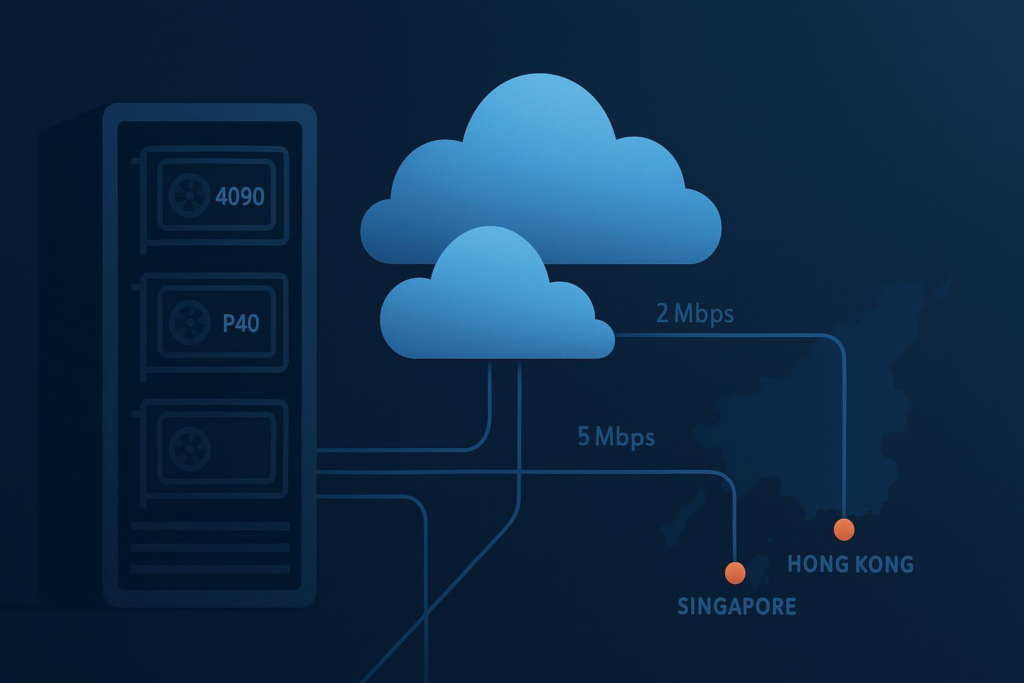
In this how‑to, you’ll set up a reproducible containerized stack on an RTX 4090 cloud server in Hong Kong and learn when the Tesla P40 in Singapore is the better fit. You’ll also plan around 2/5/10 Mbps bandwidth tiers, validate with a quick GPU test, and understand the promotion rules so you don’t accidentally lose your pricing.
Both the RTX 4090 (Hong Kong) and Tesla P40 (Singapore) provide 24 GB of VRAM, but they differ in architecture and acceleration. The RTX 4090, based on Ada Lovelace, includes fourth‑generation Tensor Cores and high memory bandwidth, which make it a strong choice for single‑GPU fine‑tuning, mixed‑precision training/inference, and high‑resolution image/video generation. For a general architecture summary, see the RTX 40 series overview. By contrast, the Tesla P40 (Pascal) is positioned for inference and light training; it lacks Tensor Cores but delivers solid throughput for serving and small‑to‑medium workloads, with peak FP32 around ~12 TFLOPS as noted in the Tesla P40 datasheet (PDF).
You can deepen your selection analysis in the internal comparison article: P40 vs. RTX 4090. Think of it this way: if you’re fine‑tuning LLMs or generating high‑res images/videos, the RTX 4090 cloud server typically gives you more headroom and shorter iteration cycles. If your primary need is steady, cost‑controlled inference or lightweight training, a Tesla P40 in Singapore often hits the sweet spot.
Monthly promo SKUs include 2, 5, or 10 Mbps tiers. These are sufficient for low‑QPS text inference APIs, control‑plane traffic, and small artifact transfers. Bulk dataset ingress/egress, however, will be slow if you push raw data directly over the instance’s public link. The best approach is to design around bandwidth: pre‑stage datasets near compute (for example, object storage in the same region) and pull via a private or optimized path; use resumable downloads and compression—huggingface-cli snapshot-download --resume avoids restarts, rsync --partial helps with flaky links, and tar.gz archives reduce transfer overhead; for image/audio responses, compress, batch, and stagger deliveries when serving.
If you’re optimizing inference throughput and latency, continuous batching, quantization, and operator fusion are helpful techniques—see LLM inference performance engineering best practices for a concise overview.
We’ll minimize host drift using Docker and the NVIDIA Container Toolkit, then validate with a small GPU job.
sudo apt-get update
sudo apt-get install -y ca-certificates curl gnupg lsb-release
sudo mkdir -p /etc/apt/keyrings
curl -fsSL https://download.docker.com/linux/ubuntu/gpg | sudo gpg --dearmor -o /etc/apt/keyrings/docker.gpg
echo \
  "deb [arch=$(dpkg --print-architecture) signed-by=/etc/apt/keyrings/docker.gpg] \
  https://download.docker.com/linux/ubuntu $(lsb_release -cs) stable" | \
  sudo tee /etc/apt/sources.list.d/docker.list > /dev/null
sudo apt-get update
sudo apt-get install -y docker-ce docker-ce-cli containerd.io
sudo usermod -aG docker $USER && newgrp docker
Follow NVIDIA’s guide to set up nvidia-container-toolkit, configure the Docker runtime, and restart Docker: NVIDIA Container Toolkit install guide.
Quick runtime configure:
sudo nvidia-ctk runtime configure --runtime=docker
sudo systemctl restart docker
docker run --rm --gpus all nvidia/cuda:12.2.0-runtime-ubuntu22.04 nvidia-smi
You should see the RTX 4090 or Tesla P40 listed with driver, CUDA version, and utilization metrics.
A common baseline for PyTorch is a CUDA 12.1 runtime image.
docker run -it --rm --gpus all \
  pytorch/pytorch:2.3.1-cuda12.1-cudnn8-runtime \
  python -c "import torch; print(torch.cuda.is_available(), torch.cuda.get_device_name(0))"
If True prints alongside your device name, the stack is wired correctly. For host‑level installs and compatibility details, consult the CUDA installation guide.
Version alignment cheat‑sheet (verify current before production):
| Driver | CUDA | Framework (example) |
|---|---|---|
| ≥ 550.x | 12.2/12.3 | PyTorch 2.3/2.4 |
| ≥ 535.x | 12.1 | PyTorch 2.2/2.3 |
Disclosure: SurferCloud is our product. On first mention, see the current promotion details here: 75% off monthly GPU plans.
docker run --rm --gpus all nvidia/cuda:12.2.0-runtime-ubuntu22.04 nvidia-smi.pytorch/pytorch:2.3.1-cuda12.1-cudnn8-runtime), confirm torch.cuda.is_available(), then pull a small quantized model or an SD 1.5 pipeline to generate one output.Servers typically become active in minutes; brand materials indicate many activations complete in under a minute, but plan for a brief buffer before running jobs.
Predictable pricing is the core advantage here. With renewals at the same price, you can keep an RTX 4090 cloud server online for long‑running fine‑tuning pipelines, scheduled batch generation, or steady inference.
Operational rules to respect include the promotion window through June 30, 2026; the two‑per‑model limit on monthly plans with multiple accounts sharing the same phone/email/IP treated as one user; non‑transferability of purchased products and benefits; selecting the same system disk capacity (for example, 100 GB or 200 GB) when reinstalling the OS to avoid fees; and configuration change constraints—no downgrades, and upgrading voids the promotional price, with renewals and upgrades following standard procedures.
Practical planning tips: size the system disk conservatively at the start (for instance, 200 GB) if you anticipate caching models or containers so you remain compliant with the reinstall rule; if you expect spiky load, provision a second instance within the two‑per‑model limit rather than upgrading a single box; for SLA coverage and regional choices, consult the product overview: GPU cloud servers (SLA is 99.95%).
If GPUs aren’t visible inside Docker, install and configure the NVIDIA Container Toolkit using the official guide and restart Docker. For driver/CUDA mismatches, align your container CUDA with the driver capability and consult the CUDA installation guide. When you hit VRAM limits, reduce batch size, use 8‑bit/4‑bit weights, and enable gradient checkpointing or accumulation for training. If dataset ingress is slow, stage data in nearby object storage, compress archives, and use resumable transfers rather than pushing large files over 2/5/10 Mbps.
Q: How long does the promotion last?
A: Through June 30, 2026.
Q: Can I renew at the same promotional price?
A: Yes—renewals occur at the same price for monthly plans in this promotion.
Q: Are there limits on how many instances I can buy?
A: The monthly promotion limits two instances per model per account. Multiple accounts with the same phone/email/IP are treated as the same user.
Q: What happens if I reinstall the OS?
A: You must select the same system disk capacity (for example, 100 GB or 200 GB) you originally chose, otherwise additional fees apply.
Q: Can I downgrade or upgrade later?
A: No downgrades are allowed. If you upgrade configuration, the promotional price no longer applies; renewals and upgrades follow standard purchase procedures.
Q: Do privacy and payment options affect setup?
A: Procurement‑wise, accounts do not require mandatory identity verification (no KYC), and common payment options are supported (USDT, Alipay, major credit cards). This flexibility can simplify team onboarding and renewals but doesn’t change the technical setup.
Next steps: If you’re ready to lock in predictable pricing and start building, review the promotion details and eligible RTX 4090 cloud server and Tesla P40 configurations on the promotion page. Keep the rules in mind—especially disk‑size on reinstall and the two‑per‑model limit—so your cost model stays stable as you scale.





